A Kubernetes desktop client that keeps up with your cluster.
Sternpost talks to the API server directly, subscribes instead of polling, and stays light no matter how big the cluster is.
Reads your existing kubeconfig; nothing to set up.
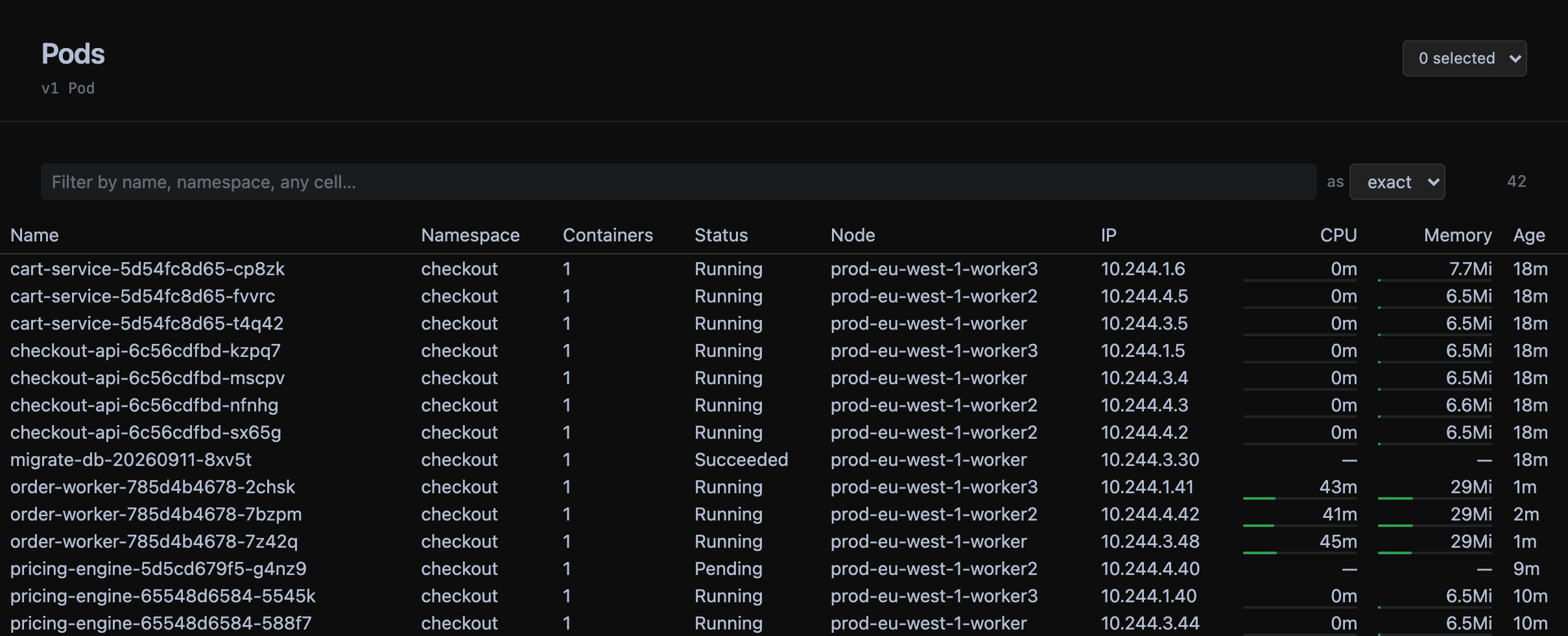
Live, not refreshed.
Every list is a Kubernetes watch. A pod restarts, the row changes. No refresh button, no polling interval, no "last updated 30s ago".
No kubectl required.
Logs, exec, port-forward and rollouts speak the API server's own protocols. Your kubeconfig is enough — tokens, client certificates and exec plugins all work.
Light on purpose.
It watches the fourteen kinds you search for, not the whole cluster. Custom resources load when you open them. Memory stays flat on a big cluster.
Better than the one you're using.
Four things the desktop client on your machine right now gets wrong.
Port forwards that survive a rollout.
Most clients pick a pod when the forward starts and die with it. Sternpost picks a Ready pod per connection: a rollout, a crash or a scale-down costs you only the connections that were open. The rules are still there after you restart.
How it worksA Deployment's logs, not one pod's.
Every pod behind a workload, merged, each line tagged with where it came from. Mute a pod and the lines already on screen filter too. Drag the window to the other monitor.
How it worksWatches, not a refresh interval.
Every list is a Kubernetes watch. Nothing polls, nothing says "updated 30s ago", and a dropped watch reconnects and tells you.
How it worksFlat memory on a big cluster.
It watches the fourteen kinds you search for, not everything. Custom resources load when you open them. A cluster with 20k pods doesn't cost 2GB.
How it worksAnd the rest of the day.
Your operators' types, first class. cert-manager, Argo, KEDA: discovered on connect, listed with the columns their authors chose, linked to what they own.
One word on how it's doing. Running, Rolling out 2/3, CrashLoopBackOff — derived the way kubectl rollout status would say it, live at the top of every detail page.
A shell in any container, over the exec endpoint, with the right prompt.
⌘K for anything: jump to a resource by name, restart, scale, forward a port.
Works for namespace-scoped users — one request per namespace, so you see what you're allowed to and a note about the rest.
Credentials never leave your kubeconfig — Sternpost stores a path and a context name. Secret values are redacted on screen. Every write is confirmed first and tagged fieldManager=sternpost so you can see it in managedFields.